How to Find Trading Opportunities with TradeScope: Complete Guide
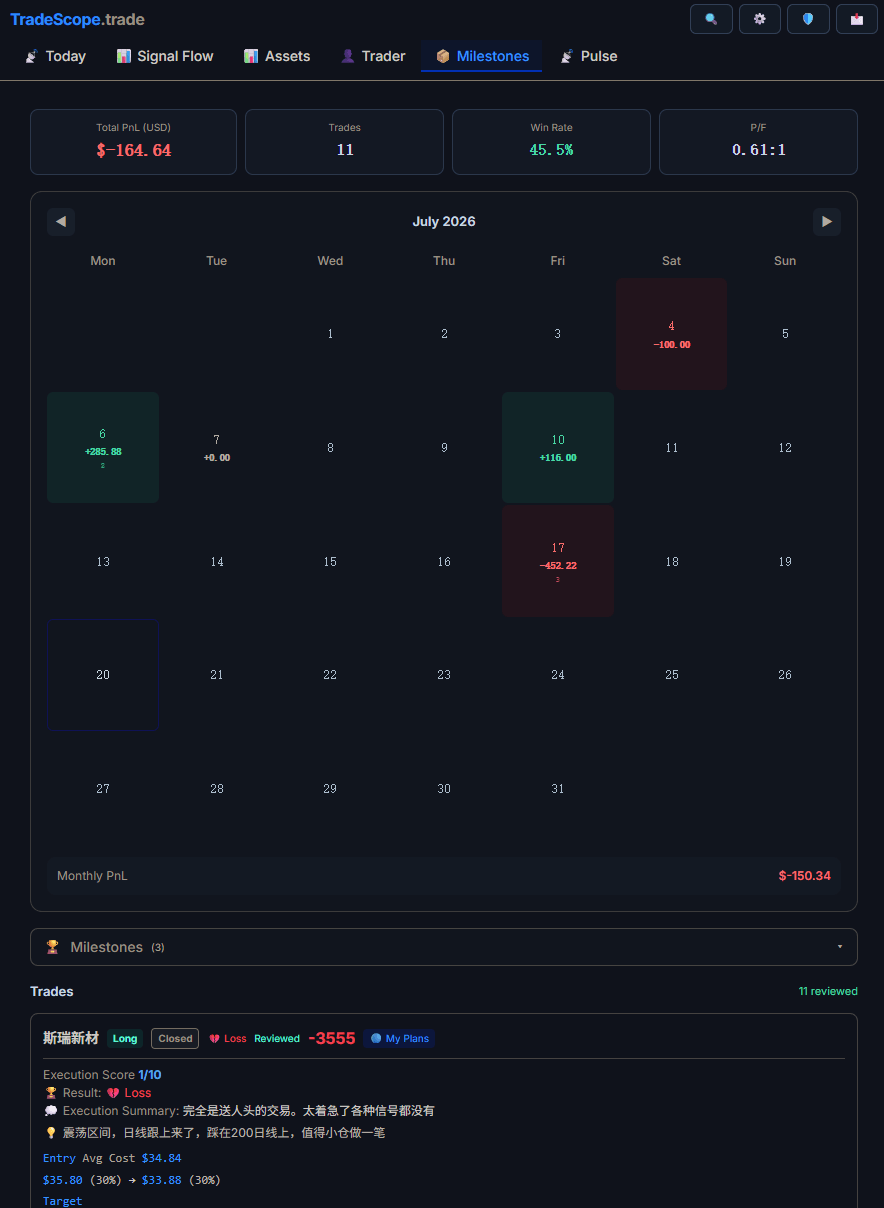
Review past trades with milestone callouts that highlight what worked.
TradeScope helps you find trading opportunities by aggregating and organizing trader opinions — anchored to the assets you care about. Here's how to use it, step by step.
🚀 Step 1: Get Started
Create your free account at tradescope.trade/app. No credit card required. You'll immediately have access to the latest trader opinions across all tracked assets.
🔍 Step 2: Find Your Asset
TradeScope tracks trader opinions across cryptocurrencies, stocks, commodities, and indices. Use the search bar to find any asset — BTC, ETH, NVDA, TSLA, gold, oil, or any other commonly traded instrument.
Each asset page shows:
- Recent trader opinions — with direction (bullish/bearish), reasoning, and source
- Sentiment breakdown — the bull/bear ratio for different timeframes
- Trader activity — who's talking about this asset and what they're saying
📊 Step 3: Read the Signal
Don't just look at the bull/bear number. Read the actual opinions:
- Bullish opinions: Are traders bullish for fundamental reasons (earnings, adoption, macro) or technical (chart patterns, momentum)?
- Bearish opinions: Is the bear case specific to the asset or a broader market concern?
- Neutral opinions: Often the most thoughtful — traders who explain both sides
Each opinion includes a confidence score and a reasoning field. Prioritize opinions with clear logic over vague statements.
📋 Step 4: Create Your First Trade Plan
Once you've gathered enough context, create a trade plan right on the asset page:
- Define your entry price zone
- Set your target and stop-loss
- Write your thesis — why this trade makes sense
- Save it — your plan is now anchored to this asset
When you come back to the asset later, your plan is the first thing you see — alongside new trader opinions that have come in since your last visit.
🔄 Step 5: Review & Iterate
After you close a trade, write a post-trade review:
- Did the trade go as planned?
- What did the trader sentiment miss?
- What would you do differently?
These reviews accumulate over time, building your personal trading history — organized by asset, not by date.
🔥 Pro Tips
- Follow the reasoning, not the person: A good argument from an unknown trader is worth more than a bad argument from a famous one
- Check sentiment divergence: When price moves up but sentiment stays bearish, something interesting is happening
- Use the sentiment filter: Toggle between bullish and bearish views to quickly assess both sides of the argument
- What Is a Trading HUD?
- 10 Best Trading Dashboard Features
- How to Read Market Sentiment
🎯 Your First Trade on TradeScope
Start with an asset you already follow. Read the last 10 trader opinions. Note your own view. Then create a plan. The whole process takes 5 minutes — and it will change how you think about that asset.
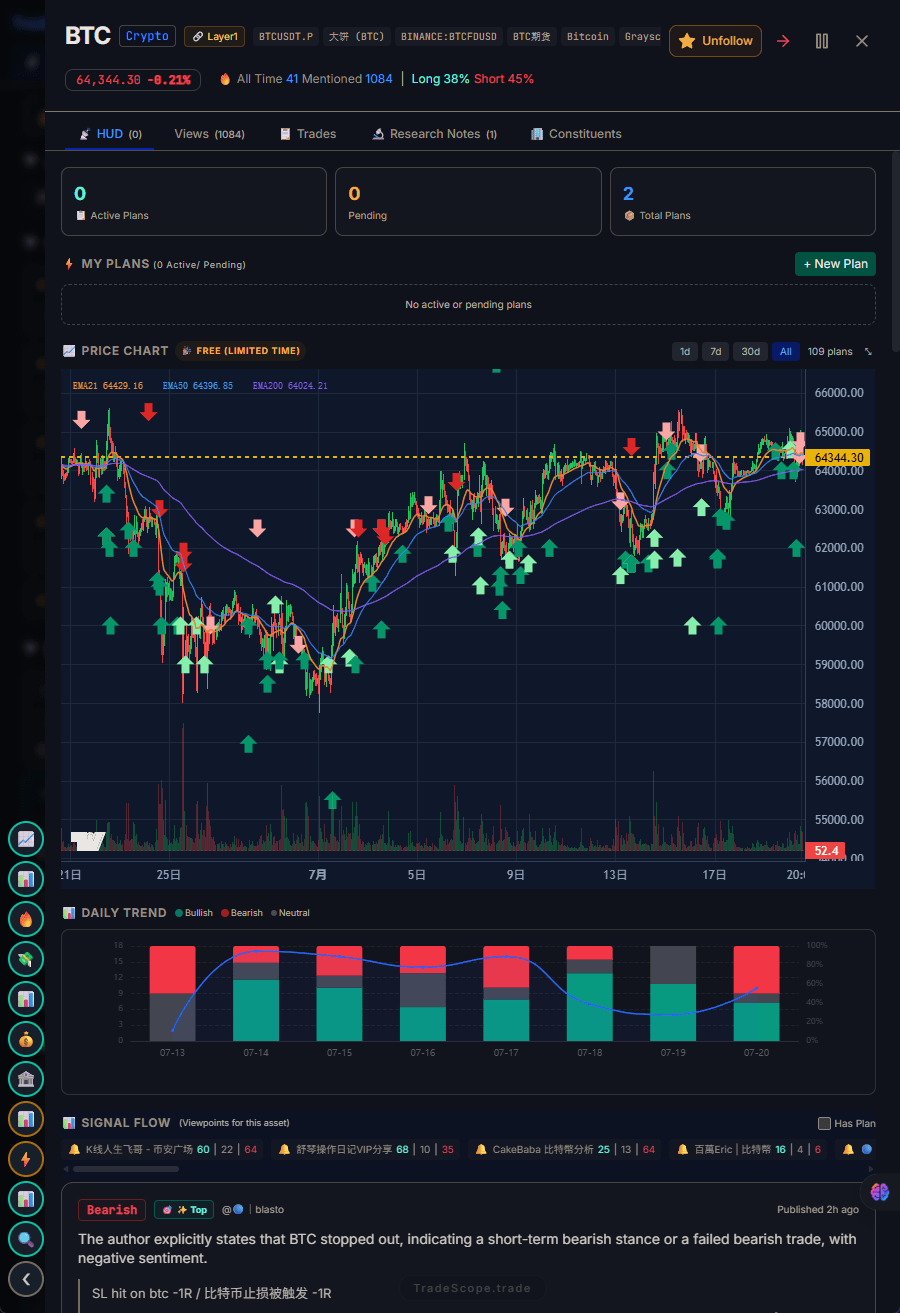
Your HUD shows you what the market is feeling and what traders are saying.
Track Real-Time Trader Sentiment with TradeScope
Sign up free to see full bull/bear sentiment data and trader viewpoints.
Get Started Free →