Why TradeScope? The Honest Comparison vs. Other Tools
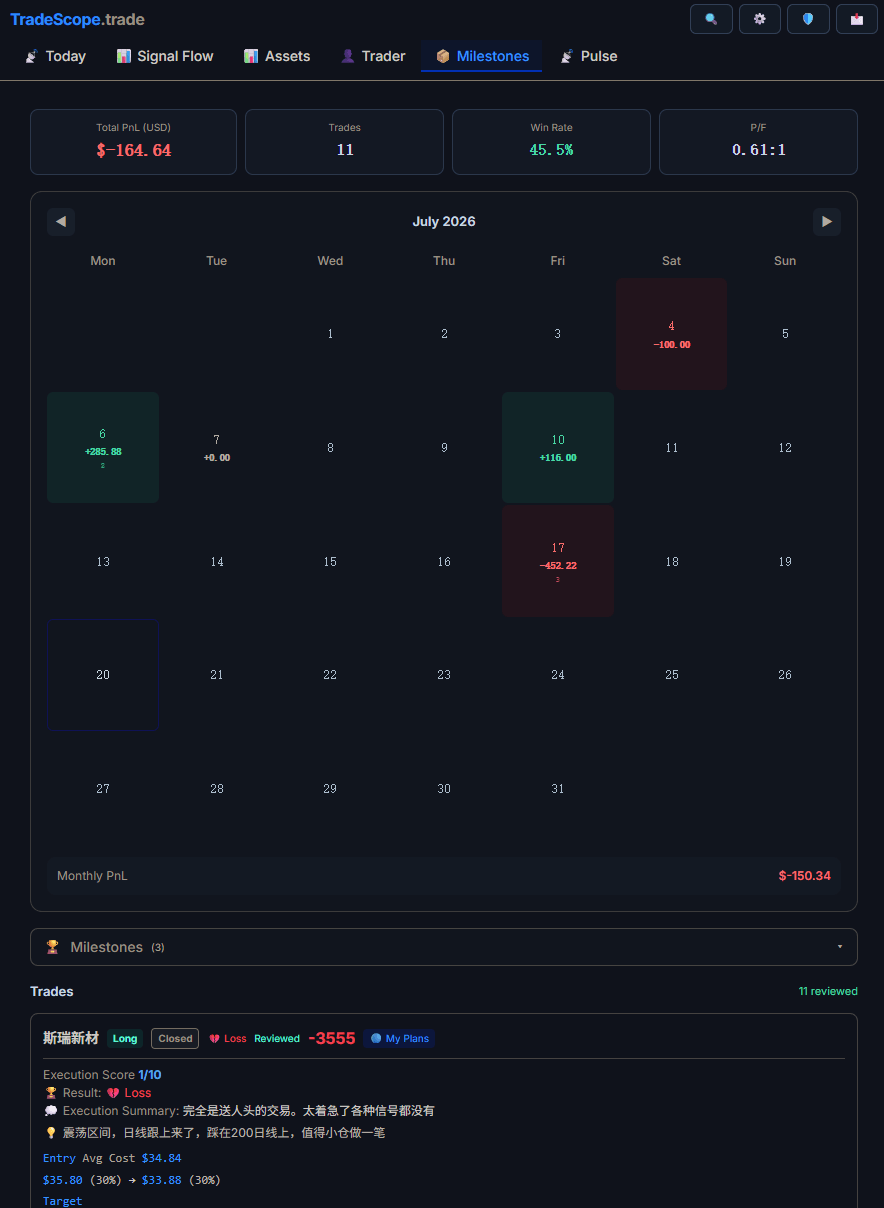
Track your progress with milestone reviews tied to every trade.
If you're a serious trader, you've probably used at least one of these: LunarCrush, Santiment, CryptoQuant, or the classic DIY setup (Notion + TradingView). Each serves a purpose. But none of them solve the same problem TradeScope was built for.
TradeScope is a trading assistant — not a social feed, not an on-chain dashboard, not a journaling template. It's the place where trader opinions live right on the asset you're trading, alongside your own trade plans and post-trade reviews.
Here's how the tools compare.
🆚 TradeScope vs LunarCrush
| Dimension | LunarCrush | TradeScope |
|---|---|---|
| Data source | Social media (Twitter, Reddit) — broad but shallow | Curated traders from X, Discord, Telegram, and Chinese financial forums |
| Signal type | Social volume, engagement metrics, emoji sentiment | Structured trade opinions with logic, direction, and asset anchoring |
| Asset anchoring | Loose — social posts mapped to coins by mention | Explicit — every opinion is linked to a specific asset |
| Trading context | You get "what's hot" | You get "what real traders think about this asset, right now" |
| Personal workflow | None — consumption only | Built-in trade plans, post-trade reviews, trader watchlist |
TradeScope wins when you need signal over noise. LunarCrush shows you what's being talked about. TradeScope shows you what thoughtful traders are actually concluding about an asset — with reasoning you can evaluate yourself.
🆚 TradeScope vs Santiment
| Dimension | Santiment | TradeScope |
|---|---|---|
| Data source | On-chain metrics + social sentiment | Trader opinions from financial communities |
| Best for | On-chain analysts tracking whale movements, MVRV, NVT | Active traders who want to know what other traders think about an asset |
| Signal latency | On-chain data is delayed (block confirmations) | Near-real-time opinions from active traders |
| Price prediction | Models based on on-chain patterns | Human reasoning — traders explain why they're bullish or bearish |
Different tools for different jobs. Santiment excels at on-chain analysis. TradeScope excels at trader sentiment — the human layer that on-chain data can't capture.
🆚 TradeScope vs CryptoQuant
CryptoQuant focuses on exchange flows, reserves, and miner metrics. It's essential for tracking institutional money movements, but it tells you nothing about narrative — what traders believe and why.
TradeScope fills that gap. When exchange reserves drop but trader sentiment is overwhelmingly bearish, that tension is a signal CryptoQuant alone won't show you.
🆚 TradeScope vs DIY (Notion + TradingView)
Many disciplined traders keep a trade journal in Notion and chart in TradingView. It works — until it doesn't.
- Friction: Plans live in Notion, charts in TradingView, sentiment in your head. Switching contexts costs mental energy.
- No sentiment layer: Your journal captures your own trades, but you have no systematic view of what other traders are saying about the asset you're watching.
- No asset anchoring: Notes are organized by date, not by asset. When you open BTC, you don't see your BTC plan — you have to go find it.
TradeScope combines your personal trade workflow and community sentiment in one place, anchored to each asset.
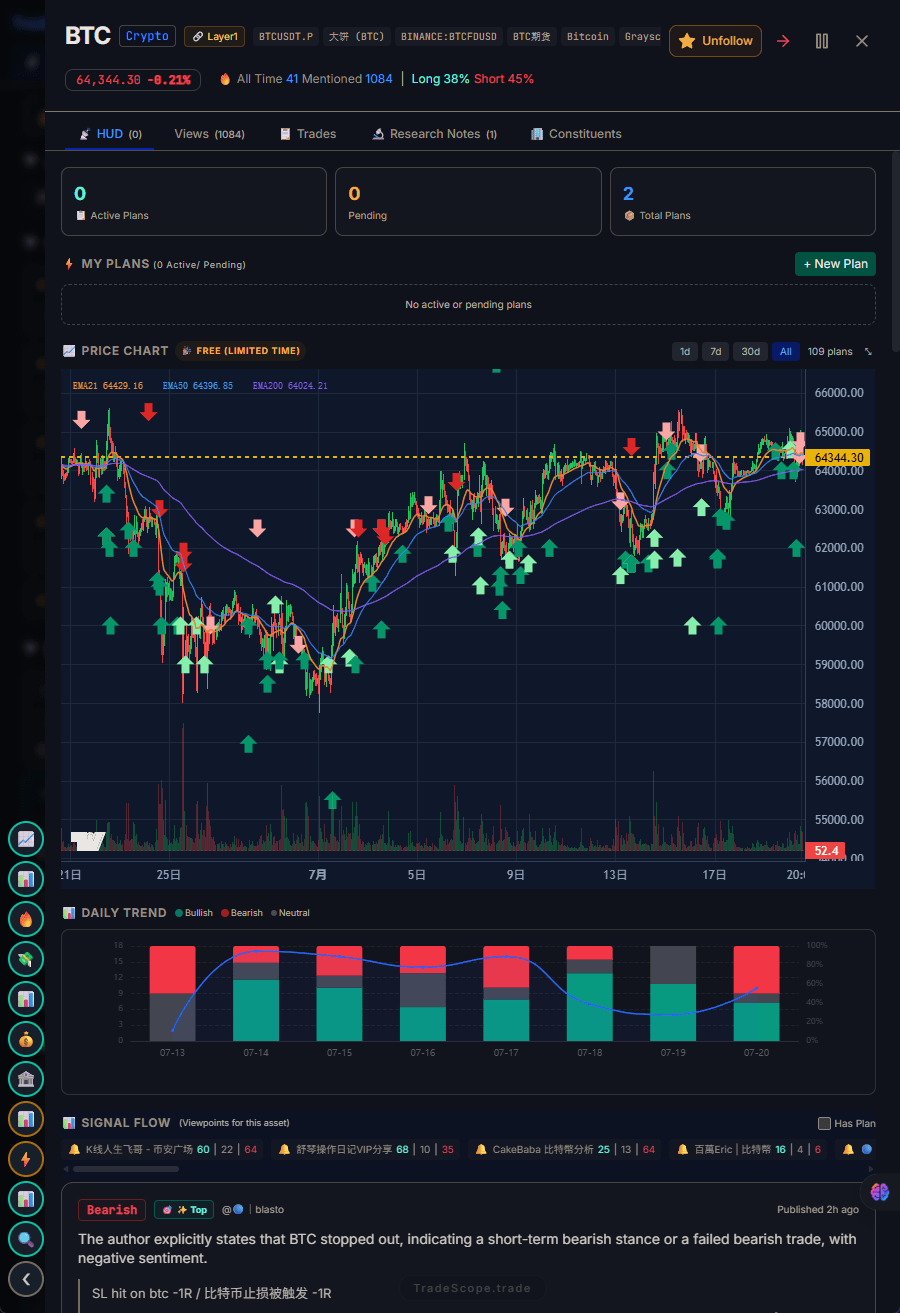
Everything you need — plan, sentiment, trader views — on one asset page.
🔍 The Real Difference
The table below captures the core distinction:
| Feature | LunarCrush | Santiment | CryptoQuant | Notion+TV | TradeScope |
|---|---|---|---|---|---|
| Trader opinions | ✅ | ✅ | ❌ | ❌ | ✅ Curated + structured |
| Asset-anchored | ❌ | ❌ | ❌ | ❌ | ✅ |
| Trade plans on chart | ❌ | ❌ | ❌ | ⚠️ | ✅ |
| Post-trade reviews | ❌ | ❌ | ❌ | ⚠️ | ✅ |
| Real-time sentiment | ✅ | ✅ | ❌ | ❌ | ✅ |
| Free tier | ✅ | ⚠️ | ⚠️ | ✅ | ✅ |
🎯 Bottom Line
TradeScope isn't a replacement for Santiment or CryptoQuant — they serve different analyses. But if you're an active trader who wants to:
- See what other traders are saying about your assets
- Keep your trade plans and reviews right where you trade
- Filter signal from noise by focusing on trader reasoning, not social volume
- What Is a Trading HUD?
- Trading HUD vs Traditional Tools
- Why Every Trader Needs a Dashboard
...then TradeScope is the tool your stack is missing. Try it free →
Track Real-Time Trader Sentiment with TradeScope
Sign up free to see full bull/bear sentiment data and trader viewpoints.
Get Started Free →